



CRM Series Integration
Connect Dialpad with CRM Series to automatically match callers, log rich call details, and surface real-time customer context in a sidebar—helping teams stay informed, save time, and keep every interaction accurately tracked in your CRM.
Media
Overview
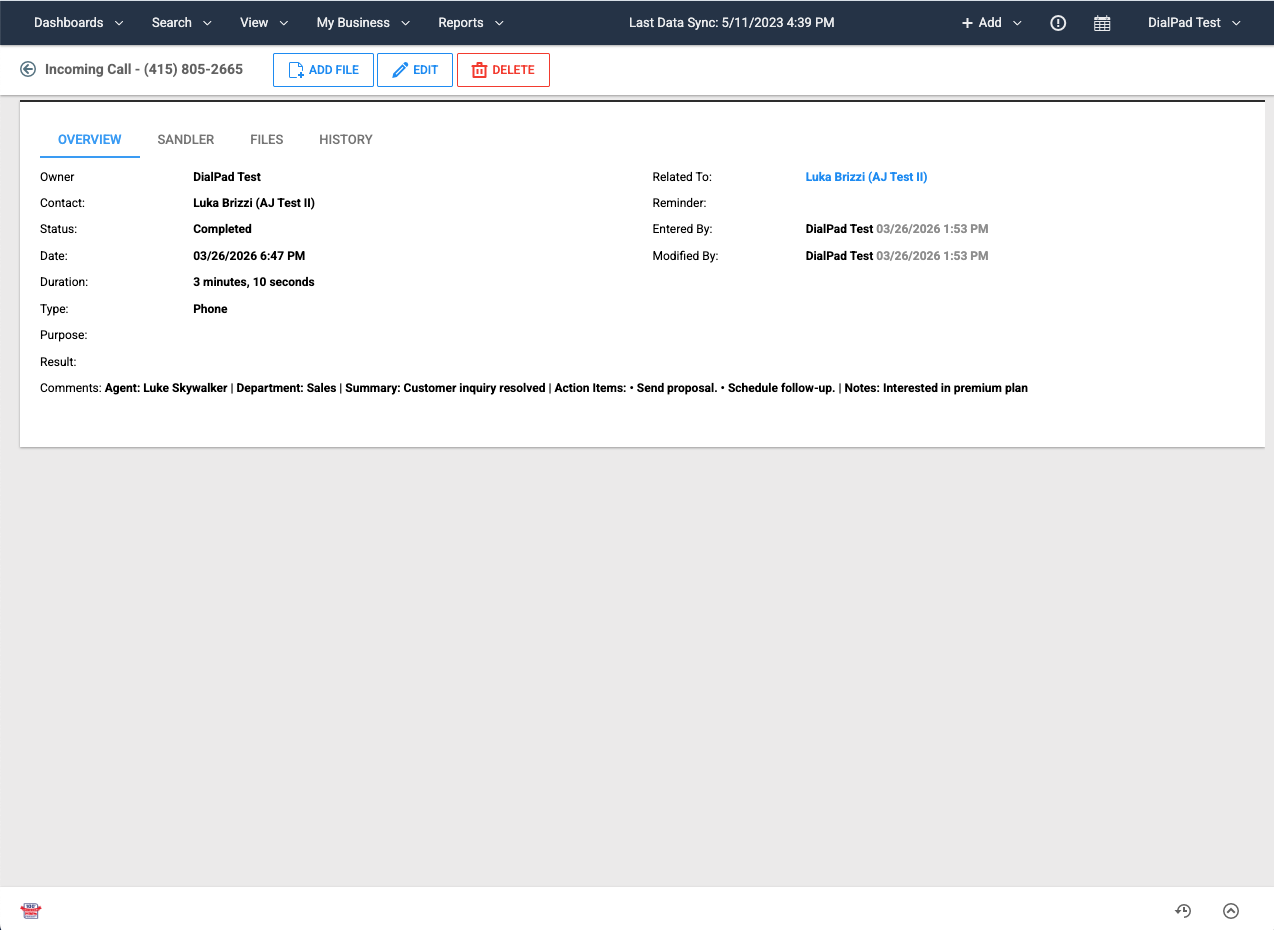
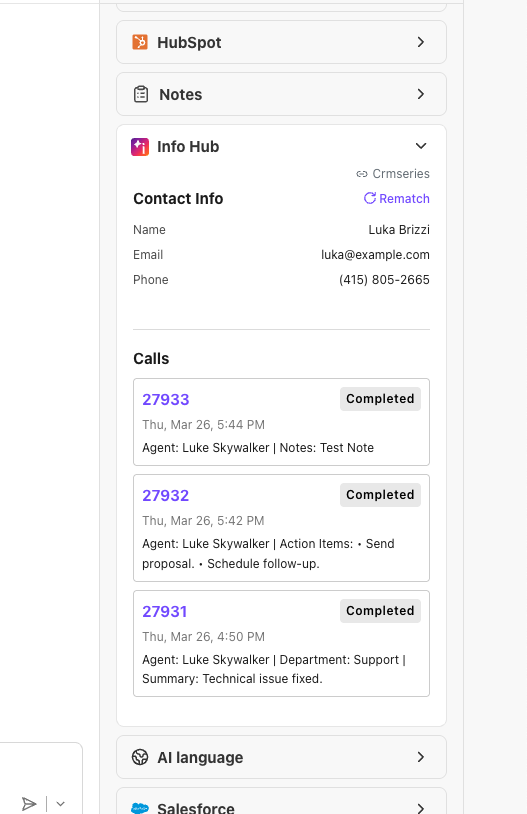
The Dialpad + CRM Series integration connects your phone system to CRM Series so teams can log calls automatically and work with live customer context without leaving Dialpad. When a call comes in, Dialpad searches CRM Series by phone number to find the right contact; agents can also search or rematch by name, email, or phone. A built-in sidebar shows contact details, recent calls, and a notes field, plus a simple option to choose whether the current call should be logged. After the call ends, Dialpad can automatically create a call record in CRM Series with direction, timing, agent, and AI-generated summaries—helping you maintain accurate histories while cutting manual data entry.
Key Features
Automatic contact matching: Match callers to CRM Series contacts by phone number, with options to search or rematch by name, email, or phone when needed.
In-call sidebar with context: View contact details, recent call history, and notes in a dedicated sidebar inside Dialpad, without switching apps.
Agent-controlled call logging: Use a simple “Save Call Log” toggle to decide whether each call is written back to CRM Series.
Rich call records in CRM Series: Log direction, start/end time, agent, department (if applicable), plus AI-generated summaries, recaps, and action items.
Data-quality safeguards: Log calls only when a valid contact is identified and the save option is enabled; very short calls can be excluded to keep records clean.
CRM Series Integration
Connect Dialpad with CRM Series to automatically match callers, log rich call details, and surface real-time customer context in a sidebar—helping teams stay informed, save time, and keep every interaction accurately tracked in your CRM.
Media
Overview
The Dialpad + CRM Series integration connects your phone system to CRM Series so teams can log calls automatically and work with live customer context without leaving Dialpad. When a call comes in, Dialpad searches CRM Series by phone number to find the right contact; agents can also search or rematch by name, email, or phone. A built-in sidebar shows contact details, recent calls, and a notes field, plus a simple option to choose whether the current call should be logged. After the call ends, Dialpad can automatically create a call record in CRM Series with direction, timing, agent, and AI-generated summaries—helping you maintain accurate histories while cutting manual data entry.
Key Features
Automatic contact matching: Match callers to CRM Series contacts by phone number, with options to search or rematch by name, email, or phone when needed.
In-call sidebar with context: View contact details, recent call history, and notes in a dedicated sidebar inside Dialpad, without switching apps.
Agent-controlled call logging: Use a simple “Save Call Log” toggle to decide whether each call is written back to CRM Series.
Rich call records in CRM Series: Log direction, start/end time, agent, department (if applicable), plus AI-generated summaries, recaps, and action items.
Data-quality safeguards: Log calls only when a valid contact is identified and the save option is enabled; very short calls can be excluded to keep records clean.