



Media
Overview
Domo’s mission is to be the operating system for business, digitally connecting all your people, your data and your systems, empowering them to collaborate better, make better decisions and be more efficient, right from their phones. Domo works with many of the world’s leading and most progressive brands across multiple industries including retail, media and entertainment, manufacturing, finance and more.
Now you can access and analyze your Dialpad data (last 90 days) directly in Domo to get a comprehensive picture of how your company is using Dialpad. With Domo + Dialpad, you can see how usage is trending over time for call volume and messages and gather composition of activity by call direction and department.
Key Features:
Visualize Next Steps
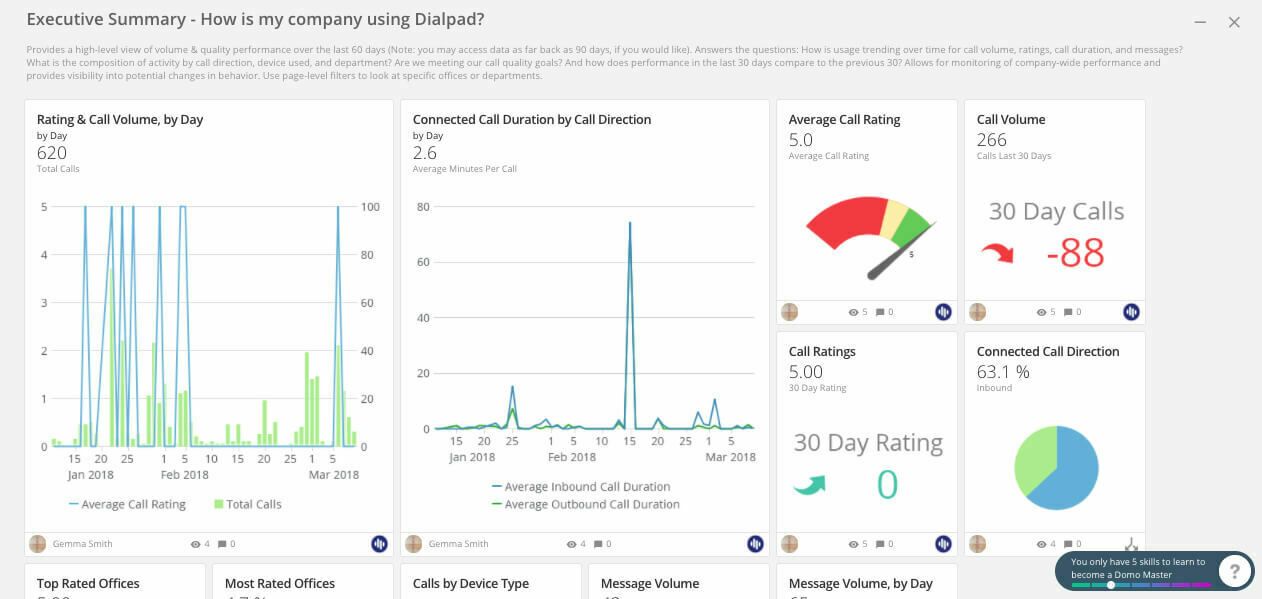
The Dialpad QuickStart app displays your metrics with Domo cards for areas like call quality, average call rating, and call volume
Admins can mix and match their metrics to shape smarter business decisions with datasets from business apps like Salesforce or Zendesk
Instant Insights
Dialpad metrics are automatically imported into Domo, so you have one central place to gain insights
Analytics You Can Act Upon
Better insights right at your fingertip. With the Domo Connector & QuickStart App for Dialpad, actionable insights are just a click away
How Dialpad Integrates with this App:
The Domo integration is available as a CTI in the Domo environment.
How to Setup
Installation and other instruction can also be found here: https://help.dialpad.com/hc/en-us/articles/360000377446-Export-Dialpad-Data-to-Domo-
Add the Dialpad QuickStart App
To add the QuickStart app, have your Company Admin (in the case of multiple offices) or your Office Admin (in the case of a single office) follow these steps:
Search for the Dialpad QuickStart app in the Domo store
Select Try It
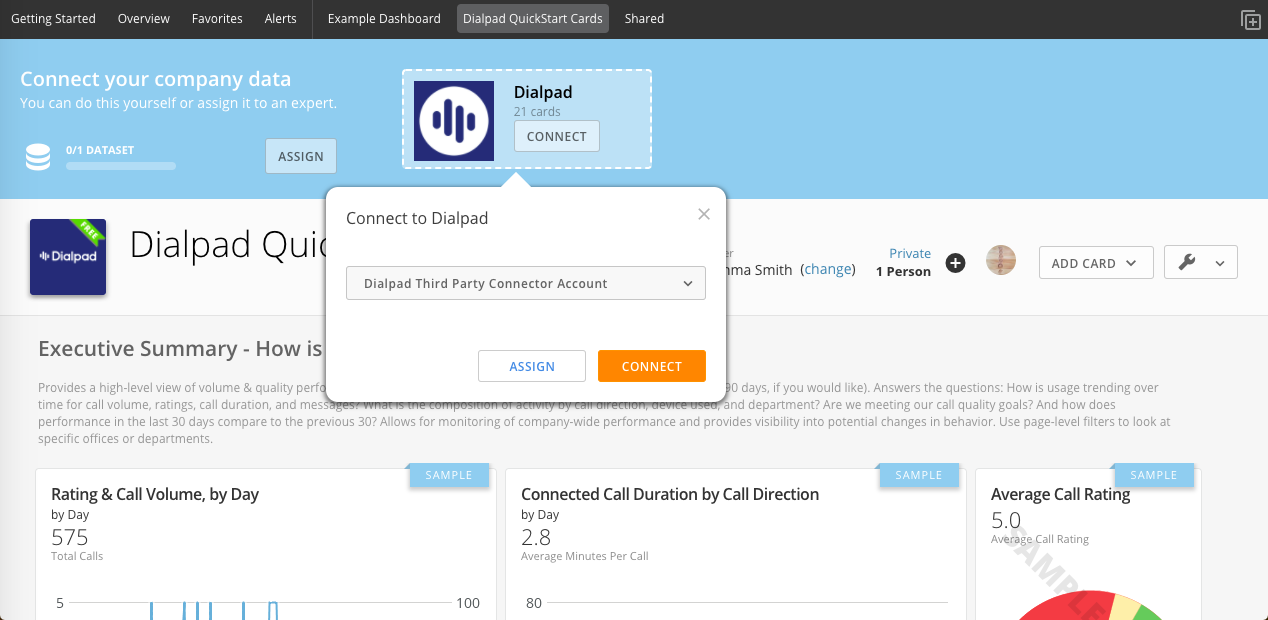
Connect your Dialpad account
After connecting your Dialpad account, you'll see cards appear for fields like:
Executive Summary
Rating Call Volume, By Day
Connected Call Duration by Call Direction
Avg. Call Rating
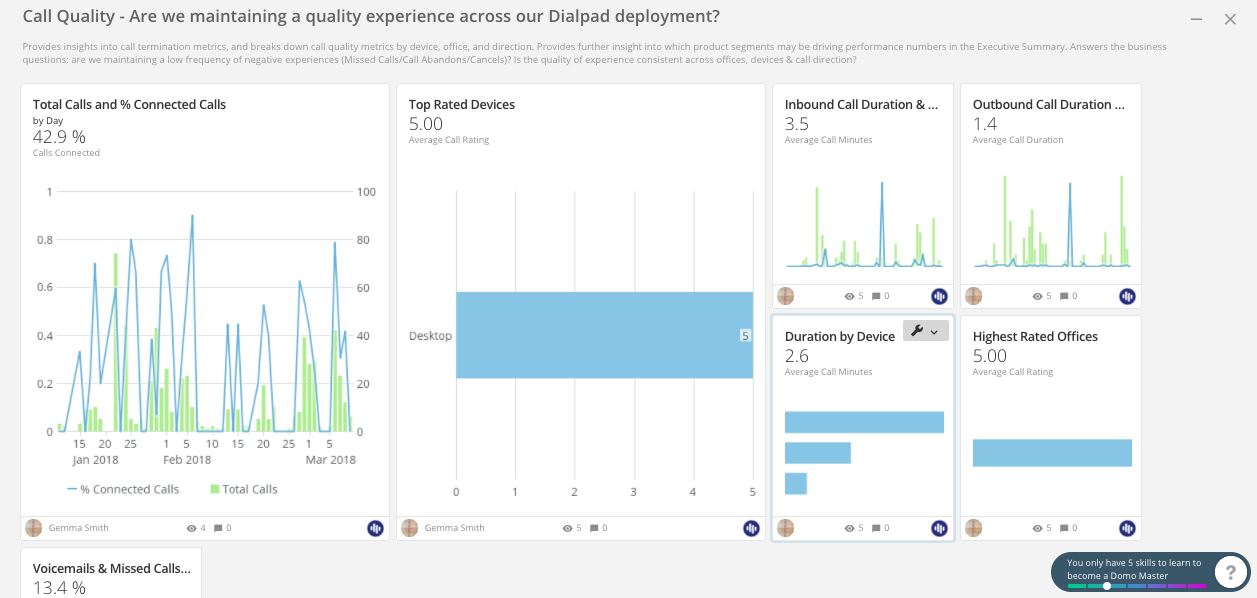
Call Quality
Total Calls and % Connected Calls
Top-Rated Devices
Highest Rated Offices
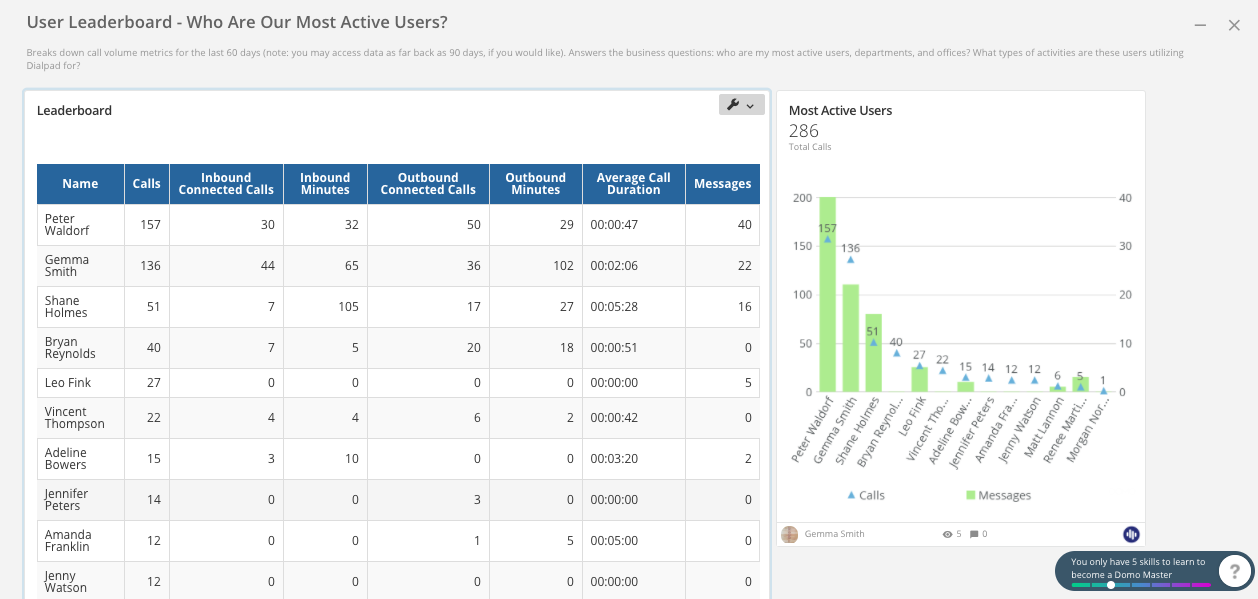
User Leaderboard
Most active users
Calls
Avg. Call Durations
Messages
Once your QuickStart has been connected and displays your connected Dialpad data, you'll be able to customize individual cards for future use.
Filter Your Data
Need to filter your data based on Departments, Offices, users, etc.? You can do this right from inside Domo. Here's how:
When viewing your QuickStart app, select the Wrench icon
Turn on Page Level Filters
From here, you'll be able to select the different filter you'd like to see (Departments, Offices, etc.)
Media
Overview
Domo’s mission is to be the operating system for business, digitally connecting all your people, your data and your systems, empowering them to collaborate better, make better decisions and be more efficient, right from their phones. Domo works with many of the world’s leading and most progressive brands across multiple industries including retail, media and entertainment, manufacturing, finance and more.
Now you can access and analyze your Dialpad data (last 90 days) directly in Domo to get a comprehensive picture of how your company is using Dialpad. With Domo + Dialpad, you can see how usage is trending over time for call volume and messages and gather composition of activity by call direction and department.
Key Features:
Visualize Next Steps
The Dialpad QuickStart app displays your metrics with Domo cards for areas like call quality, average call rating, and call volume
Admins can mix and match their metrics to shape smarter business decisions with datasets from business apps like Salesforce or Zendesk
Instant Insights
Dialpad metrics are automatically imported into Domo, so you have one central place to gain insights
Analytics You Can Act Upon
Better insights right at your fingertip. With the Domo Connector & QuickStart App for Dialpad, actionable insights are just a click away
How Dialpad Integrates with this App:
The Domo integration is available as a CTI in the Domo environment.
How to Setup
Installation and other instruction can also be found here: https://help.dialpad.com/hc/en-us/articles/360000377446-Export-Dialpad-Data-to-Domo-
Add the Dialpad QuickStart App
To add the QuickStart app, have your Company Admin (in the case of multiple offices) or your Office Admin (in the case of a single office) follow these steps:
Search for the Dialpad QuickStart app in the Domo store
Select Try It
Connect your Dialpad account
After connecting your Dialpad account, you'll see cards appear for fields like:
Executive Summary
Rating Call Volume, By Day
Connected Call Duration by Call Direction
Avg. Call Rating
Call Quality
Total Calls and % Connected Calls
Top-Rated Devices
Highest Rated Offices
User Leaderboard
Most active users
Calls
Avg. Call Durations
Messages
Once your QuickStart has been connected and displays your connected Dialpad data, you'll be able to customize individual cards for future use.
Filter Your Data
Need to filter your data based on Departments, Offices, users, etc.? You can do this right from inside Domo. Here's how:
When viewing your QuickStart app, select the Wrench icon
Turn on Page Level Filters
From here, you'll be able to select the different filter you'd like to see (Departments, Offices, etc.)