


Forth Integration
Connect Dialpad with Forth to automatically match contacts and log calls to matched contacts.
Media
Overview
The Dialpad Forth CRM Integration is purpose-built for professional services teams that rely on Forth to manage complex client relationships.
See the right client record instantly: When a call connects, the integration looks up contacts in Forth using the caller’s phone number, applying enrollment and status-based prioritization to choose the most relevant record for screen pop.
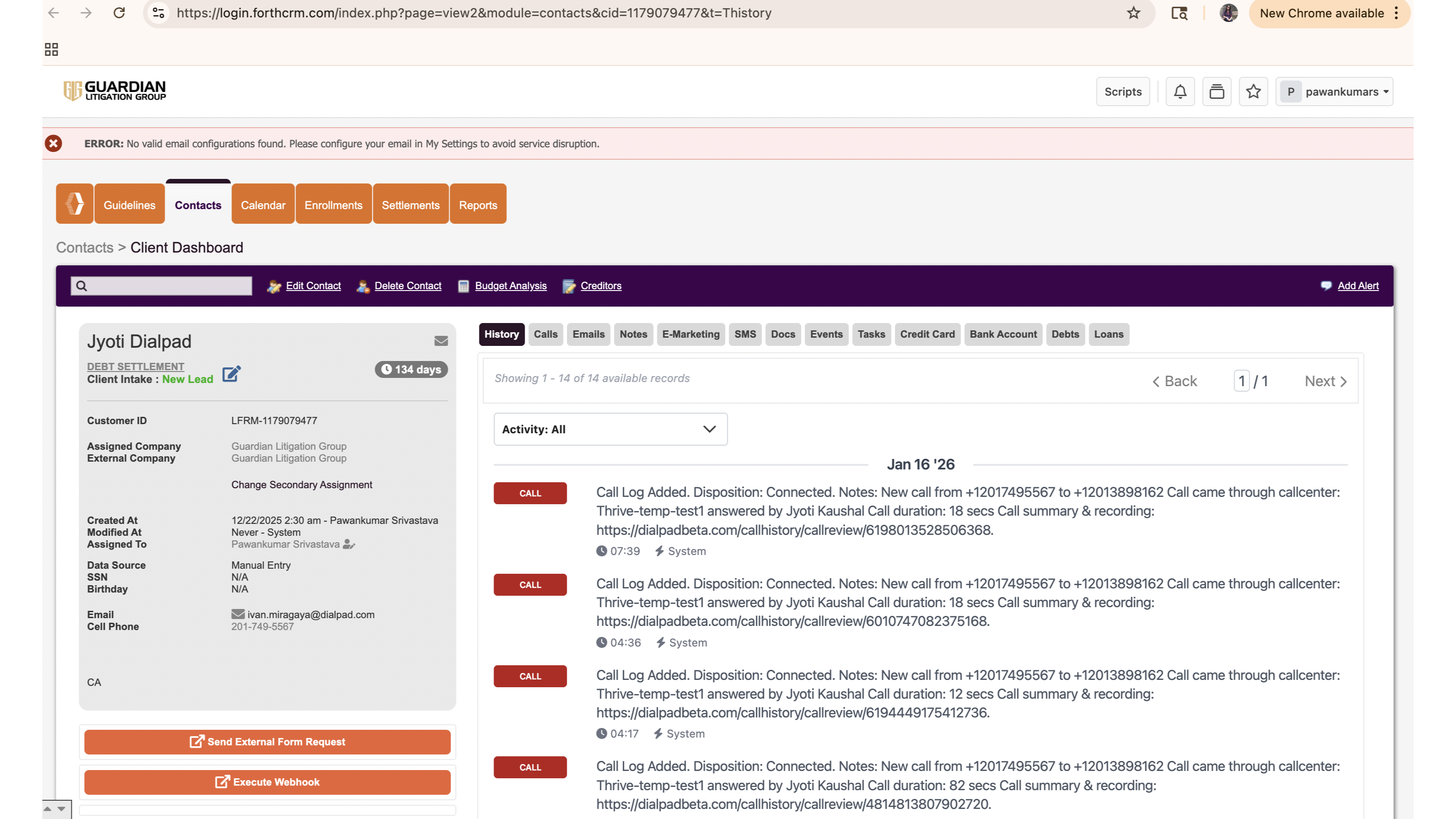
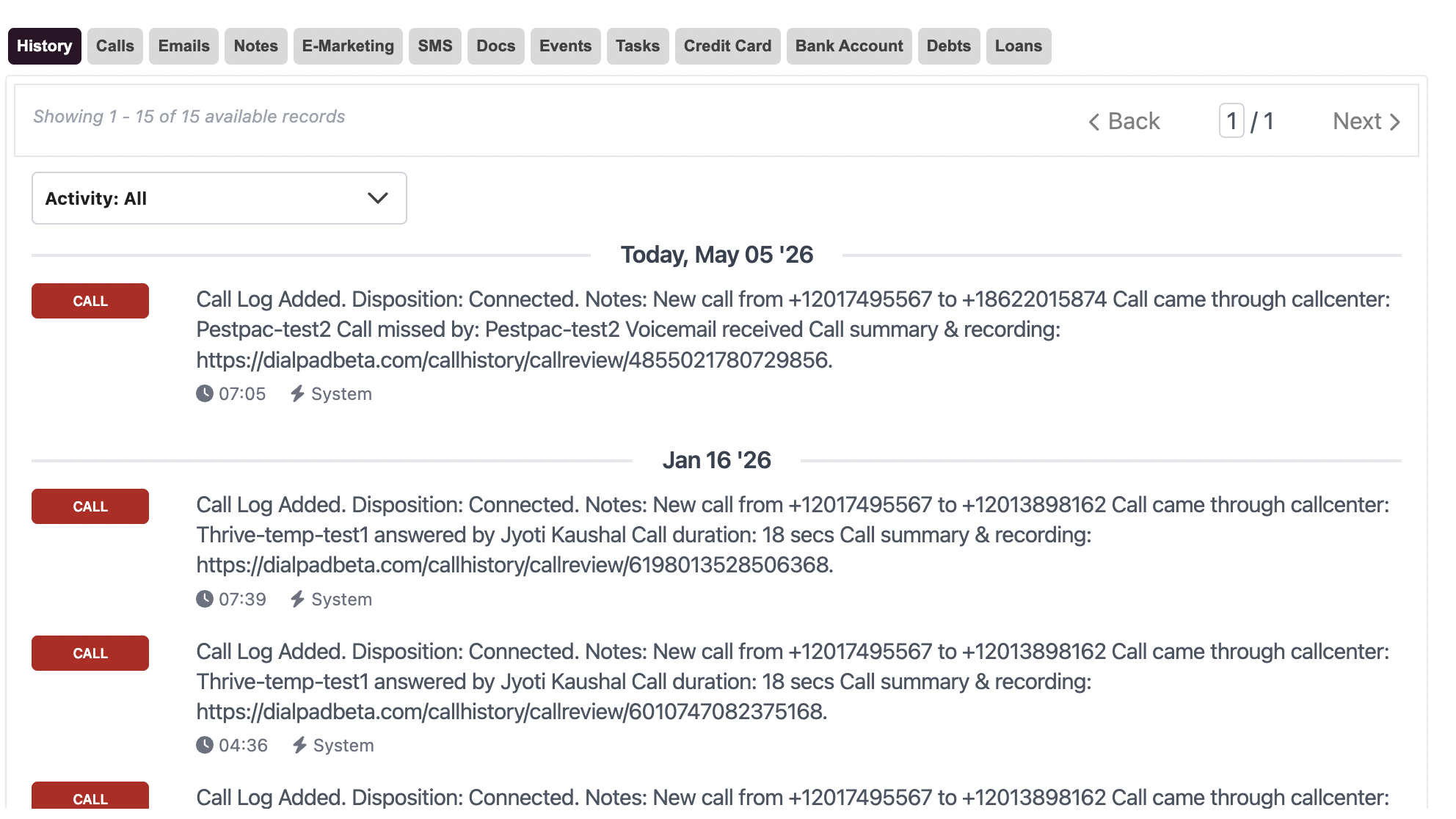
Log calls as structured Call Records: After the call, Dialpad writes a Call Record in Forth with standardized note content, call direction, disposition, assigned agent, and duration, so every interaction is traceable.
Protect data quality: If no suitable contact can be clearly identified (no matches or ambiguous multiple matches), the event is safely dropped instead of logging to the wrong record.
Key Features
Screenpop & Caller Insights: When a call connects, Dialpad looks up the caller’s phone number in Forth CRM and identifies the most relevant contact using Forth’s matching rules (single match, enrolled status, and prioritized enrollment statuses).
If a unique, prioritized contact is found, the agent’s browser opens that Forth contact’s detail page, giving instant context without manual searching.
If no suitable contact is found, no screen pop is triggered, avoiding confusing or incorrect navigation.
Intelligent contact matching
The integration uses Forth CRM’s matching and prioritization logic to ensure the right contact is selected when multiple records share the same phone number:
No match: Event is dropped (no screen pop or call log).
Single match: That contact is used for screen pop and call logging.
Multiple matches:
Enrolled contacts are prioritized.
Among enrolled contacts, only those in a set of high-priority enrollment statuses are considered; if a single contact meets this, it is used; if multiple do, the event is safely dropped to avoid mis-logging.
This ensures accurate association of calls to client records.
Forth Integration
Connect Dialpad with Forth to automatically match contacts and log calls to matched contacts.
Media
Overview
The Dialpad Forth CRM Integration is purpose-built for professional services teams that rely on Forth to manage complex client relationships.
See the right client record instantly: When a call connects, the integration looks up contacts in Forth using the caller’s phone number, applying enrollment and status-based prioritization to choose the most relevant record for screen pop.
Log calls as structured Call Records: After the call, Dialpad writes a Call Record in Forth with standardized note content, call direction, disposition, assigned agent, and duration, so every interaction is traceable.
Protect data quality: If no suitable contact can be clearly identified (no matches or ambiguous multiple matches), the event is safely dropped instead of logging to the wrong record.
Key Features
Screenpop & Caller Insights: When a call connects, Dialpad looks up the caller’s phone number in Forth CRM and identifies the most relevant contact using Forth’s matching rules (single match, enrolled status, and prioritized enrollment statuses).
If a unique, prioritized contact is found, the agent’s browser opens that Forth contact’s detail page, giving instant context without manual searching.
If no suitable contact is found, no screen pop is triggered, avoiding confusing or incorrect navigation.
Intelligent contact matching
The integration uses Forth CRM’s matching and prioritization logic to ensure the right contact is selected when multiple records share the same phone number:
No match: Event is dropped (no screen pop or call log).
Single match: That contact is used for screen pop and call logging.
Multiple matches:
Enrolled contacts are prioritized.
Among enrolled contacts, only those in a set of high-priority enrollment statuses are considered; if a single contact meets this, it is used; if multiple do, the event is safely dropped to avoid mis-logging.
This ensures accurate association of calls to client records.