



HubSpot Integration
Increase productivity and revenue for sales teams with HubSpot integration
Media
Overview
Call, text, and create tickets without leaving your CRM. Automatically log SMS, trigger workflows to send SMS, and view full interaction history—giving your team a faster, more connected way to work. One of the few solutions with full inbound/outbound calling support, Dialpad brings powerful AI and SMS capabilities directly into your HubSpot workflows.
Dialpad allows users on HubSpot Sales Free, Starter, Professional, and Enterprise to use this integration.
Key Features
Calling in HubSpot
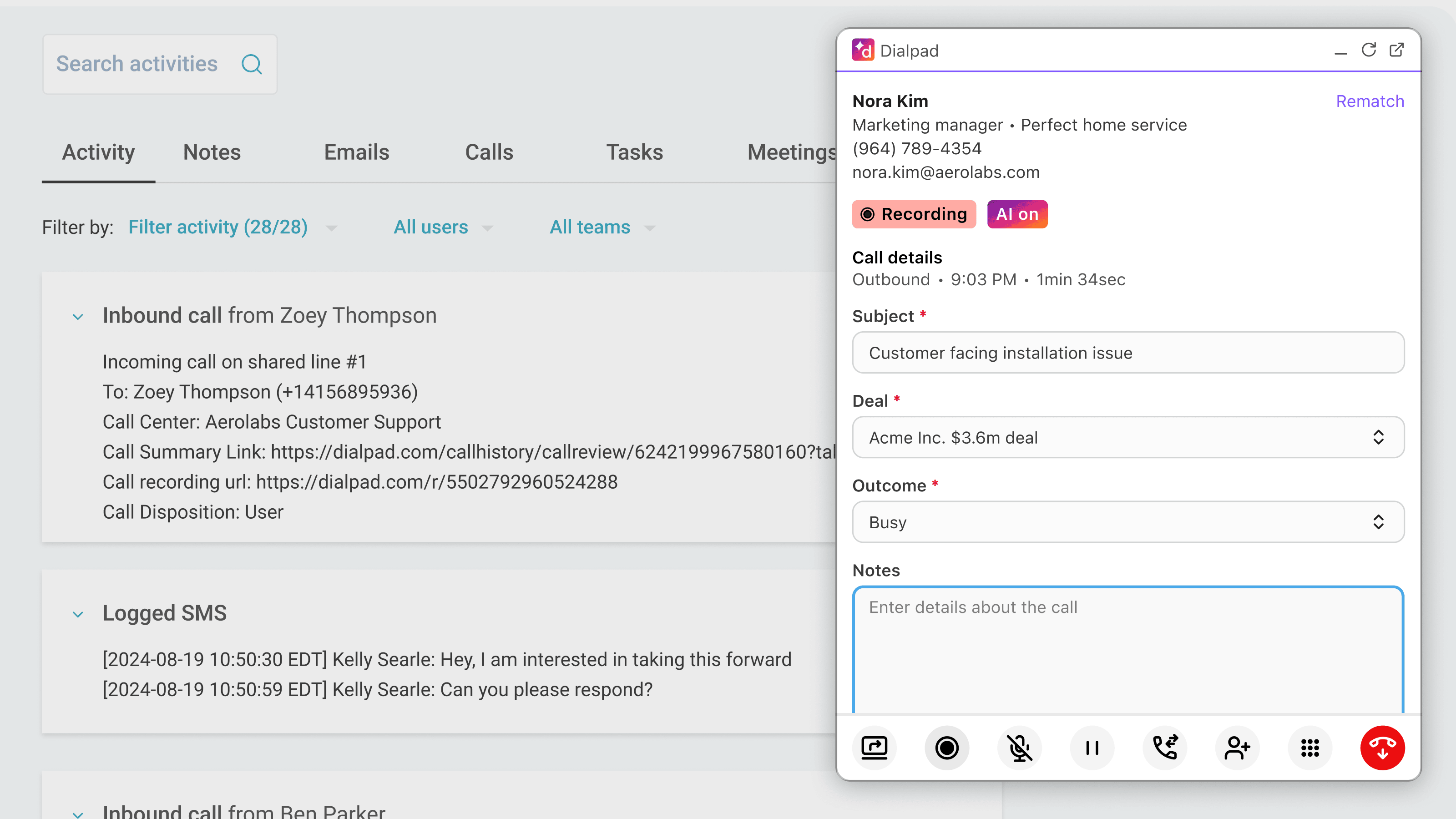
Inbound and outbound calling available directly within HubSpot
SMS Logging
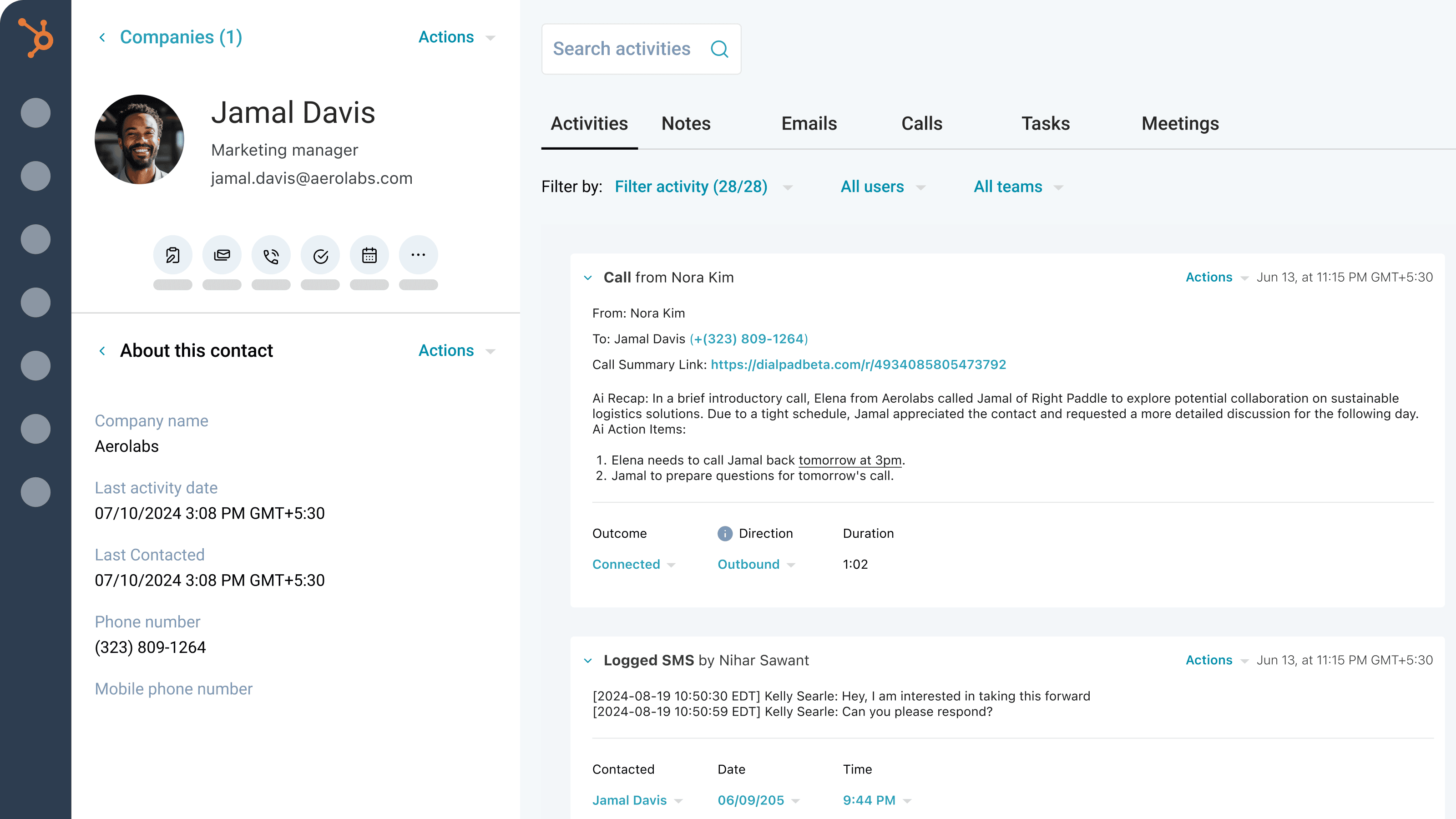
Log SMS to HubSpot as activities against contacts
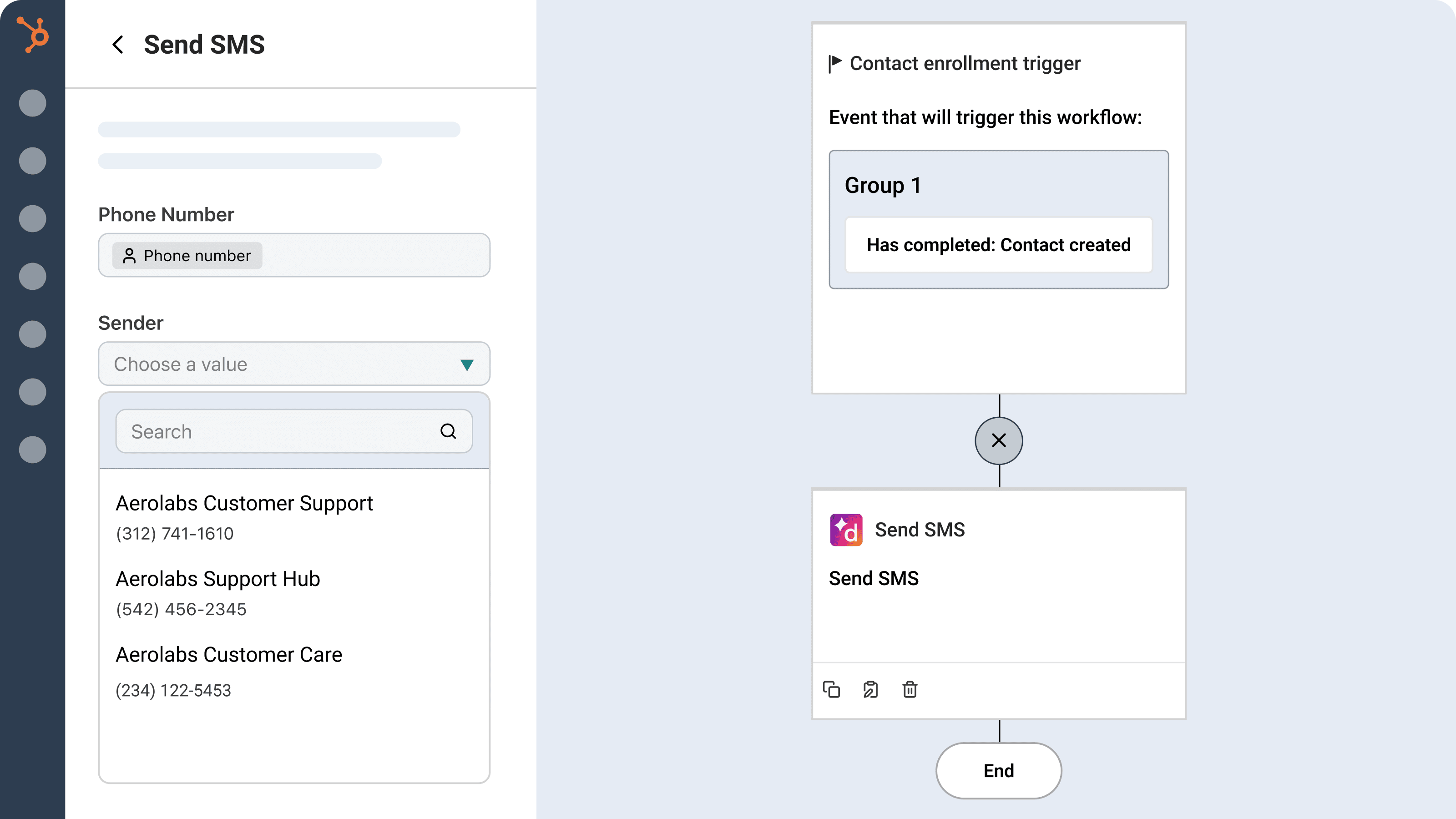
Send SMS using HubSpot workflows
Include SMS actions in your HubSpot workflows with Dialpad.
Activity Logging
Automatic call (inbound and outbound) and voicemail logging
Automatic call summary links, including transcripts and moments
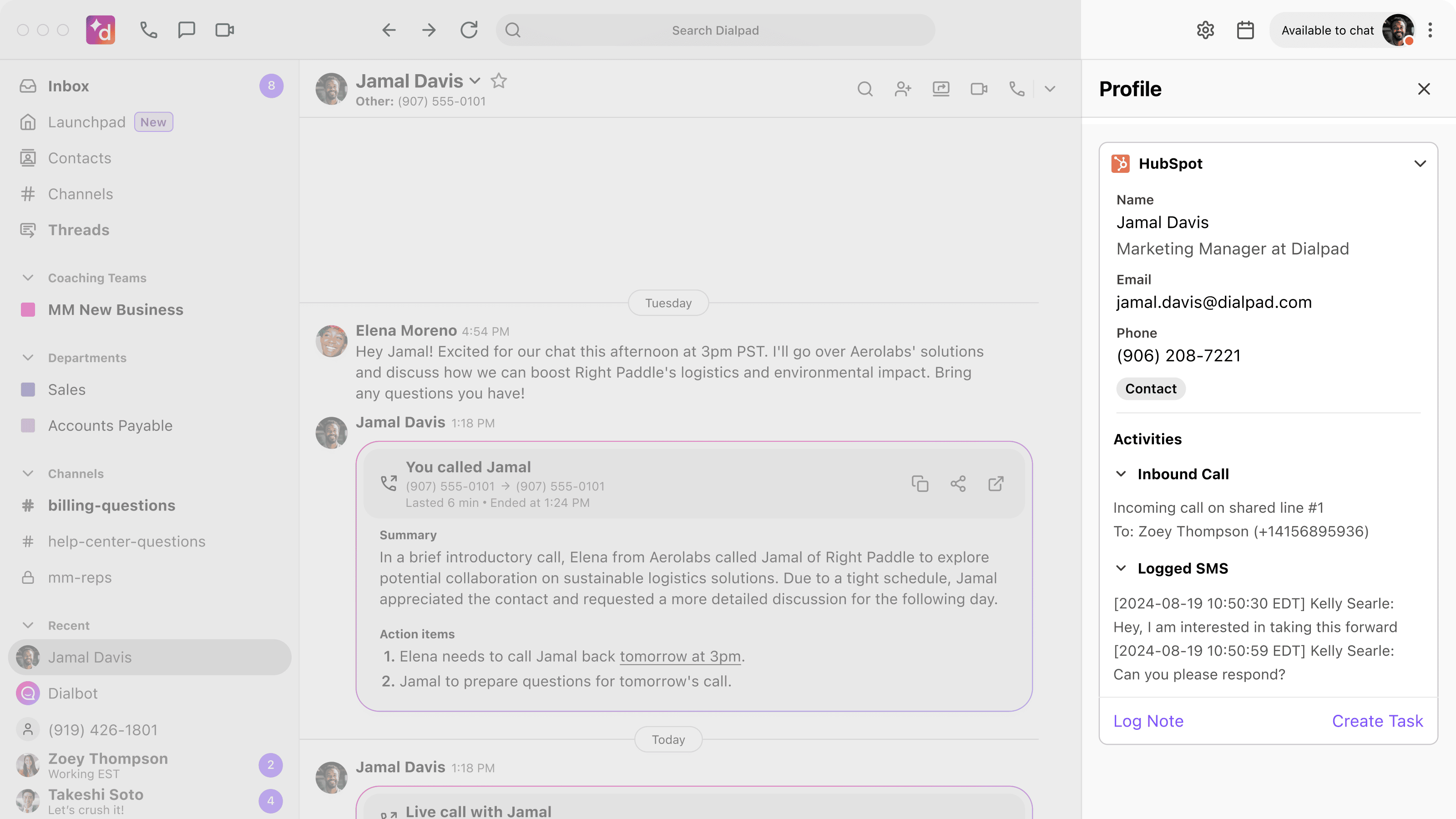
View recent activity, contact profiles, quick links, and create tasks and notes to HubSpot CRM records inside the Dialpad app integration sidebar
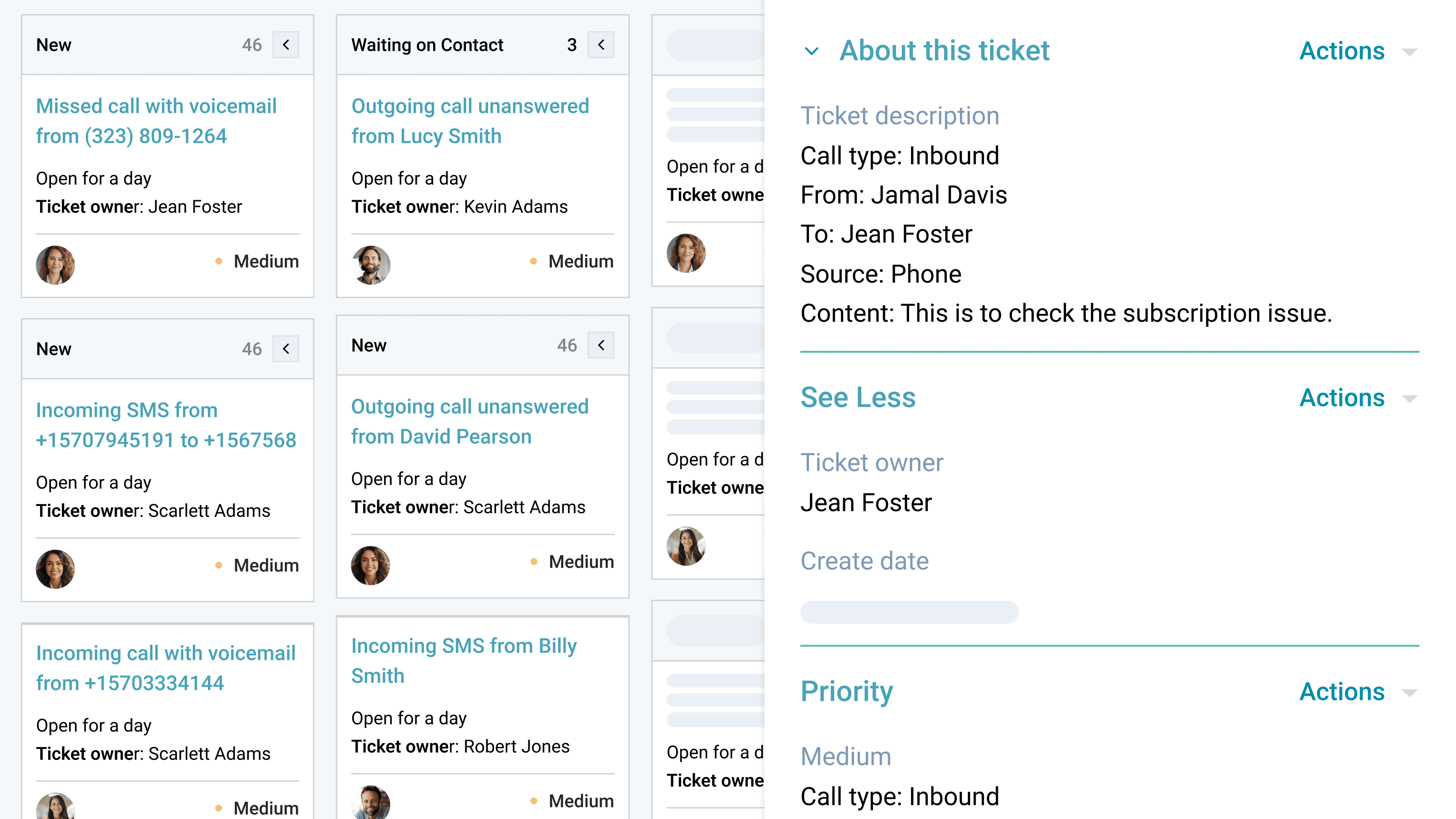
Automatic ticket creation
Create support tickets based on various events like incoming and missed calls.
Contact Management
Automatically display contact profiles within Dialpad
Ability to manually create new contact in HubSpot from Dialpad
Automatically create a contact for missed calls to never miss a lead
Available in the Dialpad Integrations Sidebar
Ability to tie calls to existing deals within Dialpad
Quick access to dispositions, deal tagging, and call notes/tasks
Coming soon
Automatic contact syncing between HubSpot and Dialpad.
Configure HubSpot pipelines with Dialpad offices and contact center to match your workflow
How Dialpad Integrates with this App:
Dialpad’s HubSpot integration is available to HubSpot Sales Hub customers on any Dialpad Support or Dialpad Sell plan, as well as Dialpad Connect users on a Pro or Enterprise plan.
How to Setup
To enable the Dialpad and HubSpot integration, visit the configuration guide in the Dialpad Help Center. For more details on getting started with Calling in HubSpot, refer to this guide in the Help Center.
Agentic AI
HubSpot + Dialpad Agentic AI Integration
Dialpad’s Agentic AI now integrates with HubSpot, enabling customers to engage directly with AI agents that autonomously handle CRM interactions. This Agentic AI integration powers workflows like creating and updating contacts, logging company details, and managing deals in real time. Instead of relying on manual data entry, HubSpot stays continuously accurate and current—so sales and marketing teams spend less time on admin and more time building relationships, nurturing leads, and closing revenue.
Availability may vary depending on HubSpot’s APIs and customer system configuration.
HubSpot Integration
Increase productivity and revenue for sales teams with HubSpot integration
Media
Overview
Call, text, and create tickets without leaving your CRM. Automatically log SMS, trigger workflows to send SMS, and view full interaction history—giving your team a faster, more connected way to work. One of the few solutions with full inbound/outbound calling support, Dialpad brings powerful AI and SMS capabilities directly into your HubSpot workflows.
Dialpad allows users on HubSpot Sales Free, Starter, Professional, and Enterprise to use this integration.
Key Features
Calling in HubSpot
Inbound and outbound calling available directly within HubSpot
SMS Logging
Log SMS to HubSpot as activities against contacts
Send SMS using HubSpot workflows
Include SMS actions in your HubSpot workflows with Dialpad.
Activity Logging
Automatic call (inbound and outbound) and voicemail logging
Automatic call summary links, including transcripts and moments
View recent activity, contact profiles, quick links, and create tasks and notes to HubSpot CRM records inside the Dialpad app integration sidebar
Automatic ticket creation
Create support tickets based on various events like incoming and missed calls.
Contact Management
Automatically display contact profiles within Dialpad
Ability to manually create new contact in HubSpot from Dialpad
Automatically create a contact for missed calls to never miss a lead
Available in the Dialpad Integrations Sidebar
Ability to tie calls to existing deals within Dialpad
Quick access to dispositions, deal tagging, and call notes/tasks
Coming soon
Automatic contact syncing between HubSpot and Dialpad.
Configure HubSpot pipelines with Dialpad offices and contact center to match your workflow
How Dialpad Integrates with this App:
Dialpad’s HubSpot integration is available to HubSpot Sales Hub customers on any Dialpad Support or Dialpad Sell plan, as well as Dialpad Connect users on a Pro or Enterprise plan.
How to Setup
To enable the Dialpad and HubSpot integration, visit the configuration guide in the Dialpad Help Center. For more details on getting started with Calling in HubSpot, refer to this guide in the Help Center.
Agentic AI
HubSpot + Dialpad Agentic AI Integration
Dialpad’s Agentic AI now integrates with HubSpot, enabling customers to engage directly with AI agents that autonomously handle CRM interactions. This Agentic AI integration powers workflows like creating and updating contacts, logging company details, and managing deals in real time. Instead of relying on manual data entry, HubSpot stays continuously accurate and current—so sales and marketing teams spend less time on admin and more time building relationships, nurturing leads, and closing revenue.
Availability may vary depending on HubSpot’s APIs and customer system configuration.