



Lead Perfection Integration
Connect Dialpad with LeadPerfection to automatically match callers to prospects, pop the right record on screen, and log calls with the correct result codes, call types, and recordings so sales teams can focus on closing, not data entry.
Media
Overview
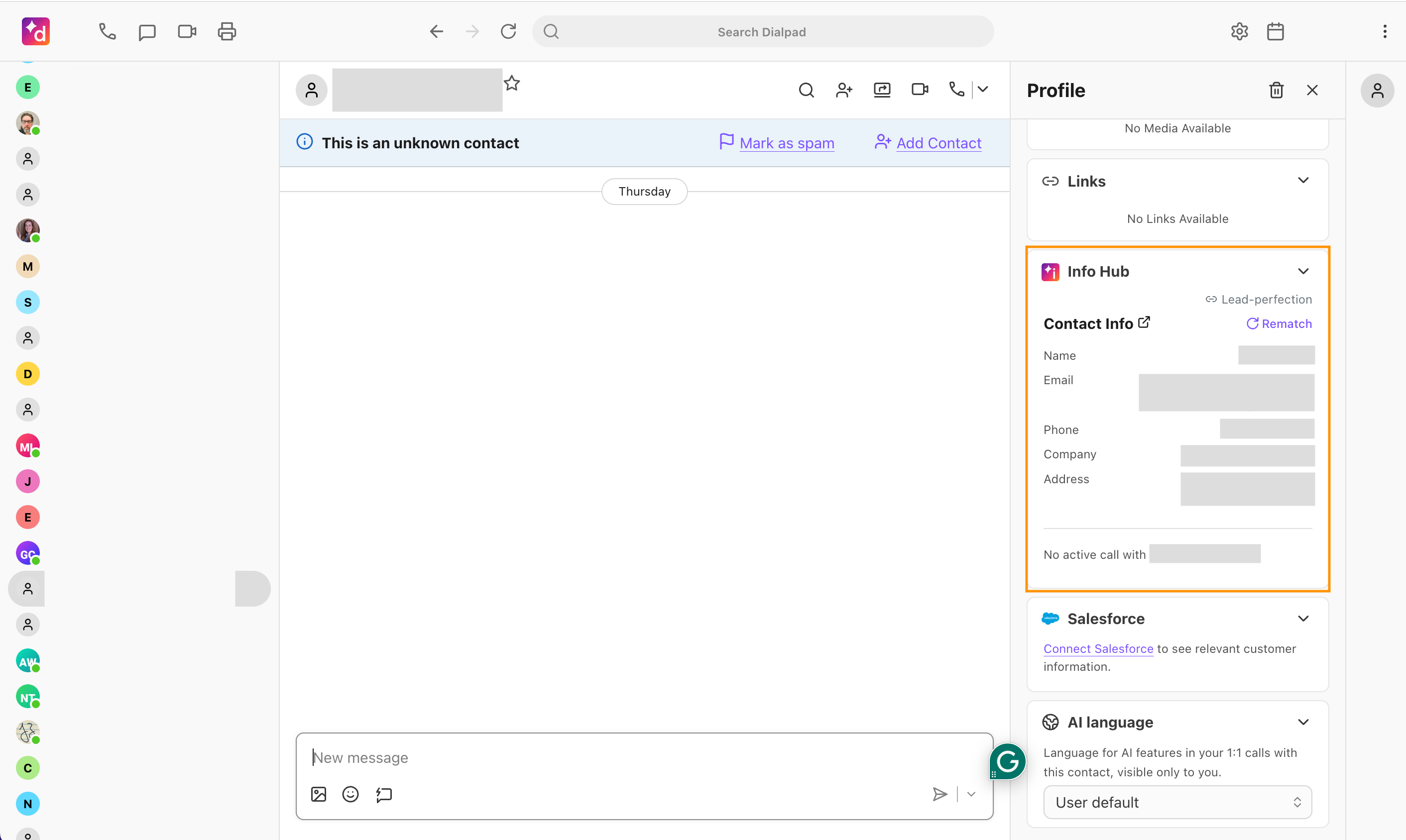
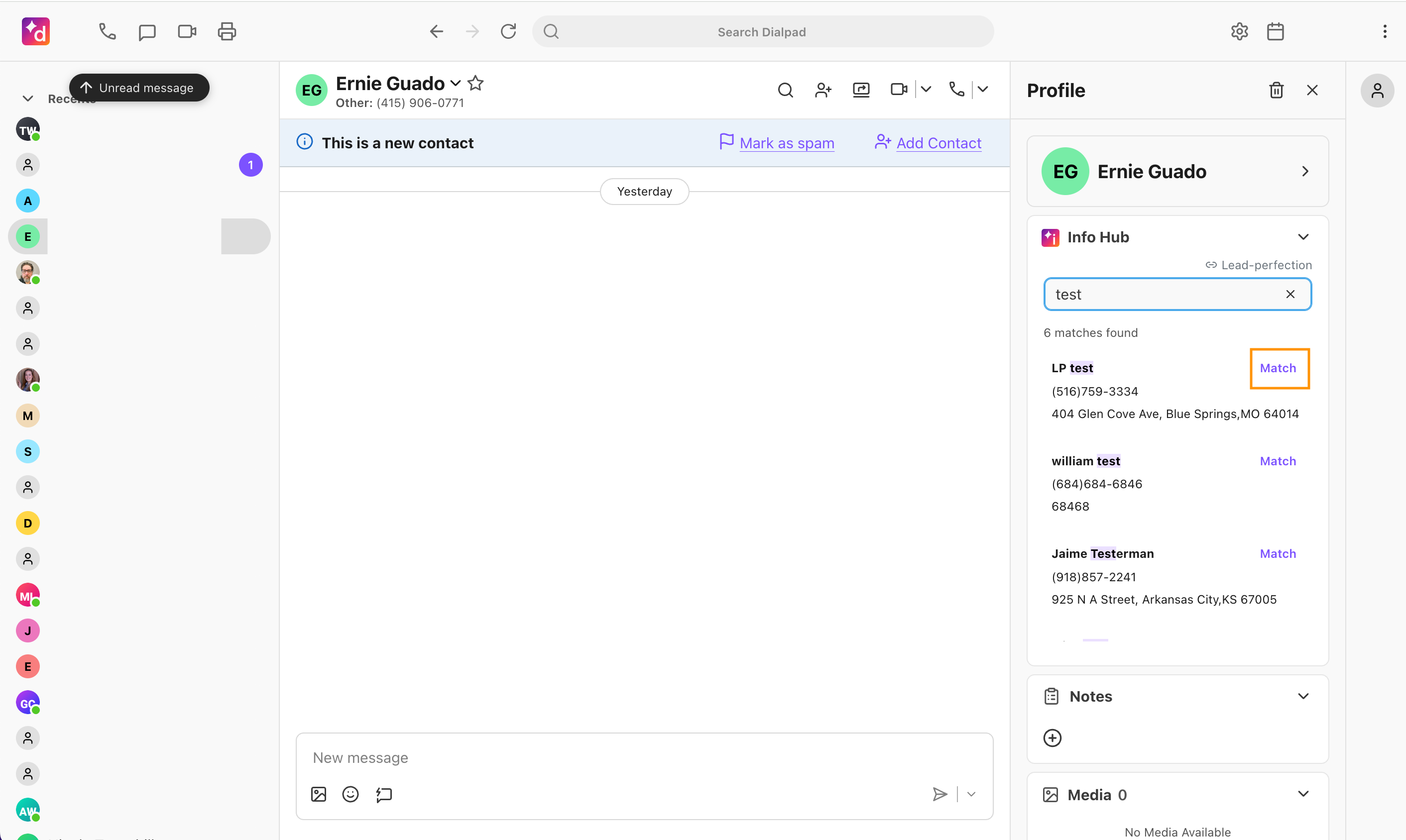
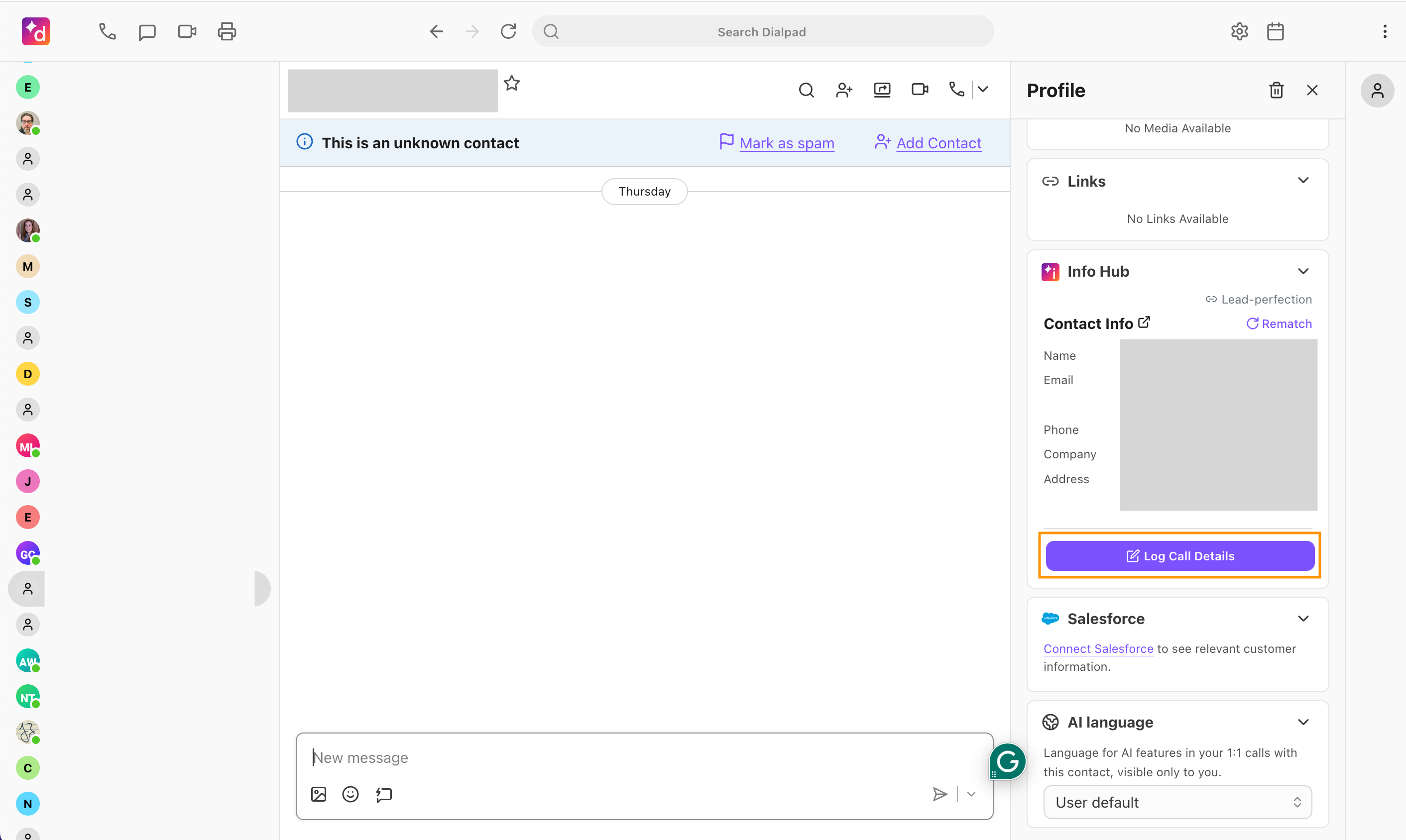
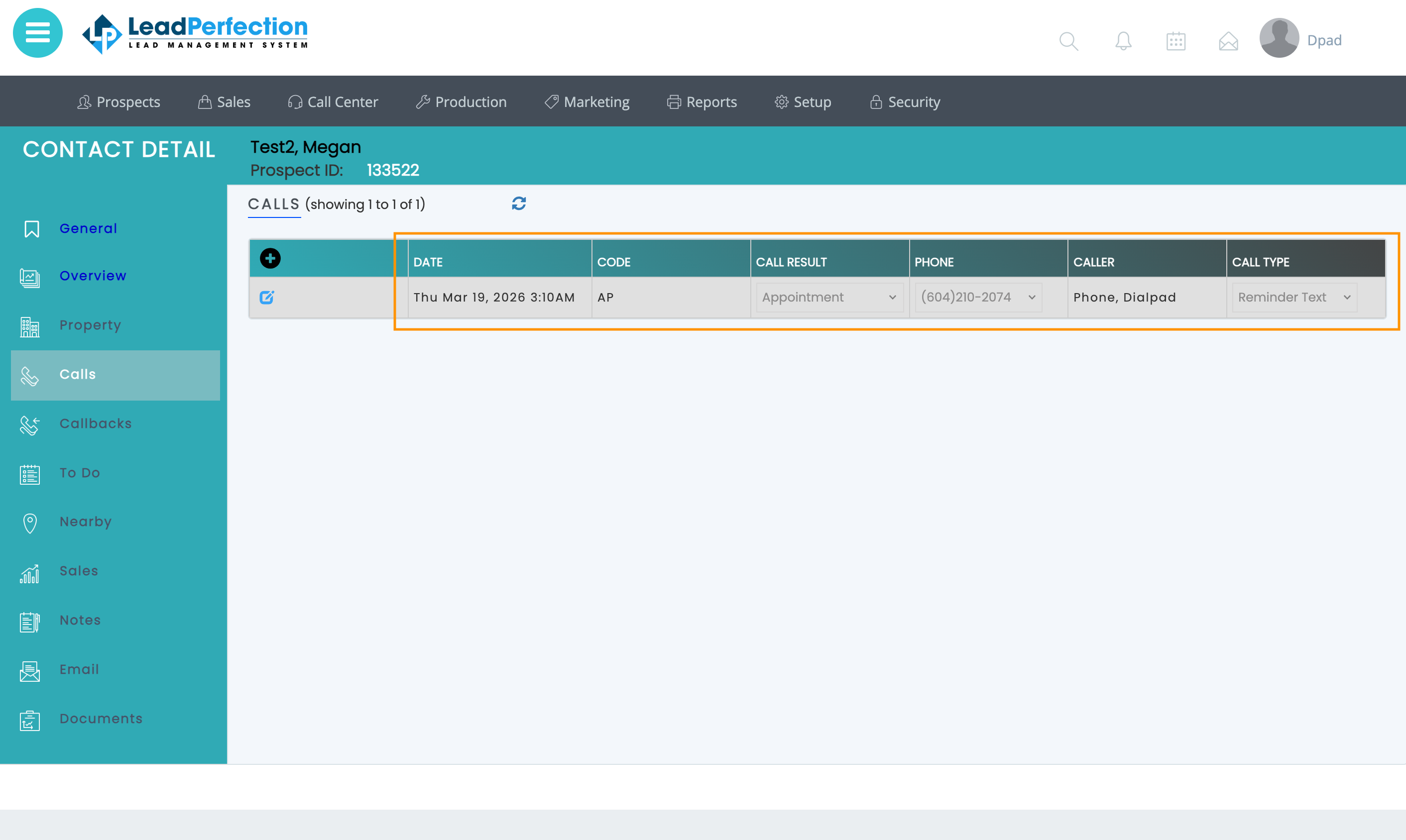
The Dialpad + LeadPerfection integration connects your phone system to LeadPerfection so sales teams can work calls, not spreadsheets. When calls come in or go out, Dialpad automatically searches LeadPerfection by phone number to match the right prospect and can pop that record on screen for instant context. Inside Dialpad, a sidebar shows key prospect details and lets agents choose the correct result code, call type, and queue before the call is logged. After the call ends, Dialpad writes a call history entry to LeadPerfection with date, duration, agent, selected result code/call type, queue, and a recording link—ensuring every interaction is captured and categorized accurately without manual data entry.
Key Features
Automatic prospect matching: Match inbound and outbound calls to LeadPerfection prospects by phone number so reps have the right record from the start.
Screen pop to the right record: Open the matched prospect record (or prospect search page if no single match) in LeadPerfection as soon as a call arrives.
In-app prospect sidebar: View prospect details (name, phone, address) directly in Dialpad and quickly rematch or search if needed.
Structured call annotation: From the sidebar, select the correct result code, call type, and queue before logging, using live values pulled from LeadPerfection.
Rich call history logging: Log call date, duration, agent, phone, result code, call type, queue, and recording link as call history entries—no manual data entry.
Lead Perfection Integration
Connect Dialpad with LeadPerfection to automatically match callers to prospects, pop the right record on screen, and log calls with the correct result codes, call types, and recordings so sales teams can focus on closing, not data entry.
Media
Overview
The Dialpad + LeadPerfection integration connects your phone system to LeadPerfection so sales teams can work calls, not spreadsheets. When calls come in or go out, Dialpad automatically searches LeadPerfection by phone number to match the right prospect and can pop that record on screen for instant context. Inside Dialpad, a sidebar shows key prospect details and lets agents choose the correct result code, call type, and queue before the call is logged. After the call ends, Dialpad writes a call history entry to LeadPerfection with date, duration, agent, selected result code/call type, queue, and a recording link—ensuring every interaction is captured and categorized accurately without manual data entry.
Key Features
Automatic prospect matching: Match inbound and outbound calls to LeadPerfection prospects by phone number so reps have the right record from the start.
Screen pop to the right record: Open the matched prospect record (or prospect search page if no single match) in LeadPerfection as soon as a call arrives.
In-app prospect sidebar: View prospect details (name, phone, address) directly in Dialpad and quickly rematch or search if needed.
Structured call annotation: From the sidebar, select the correct result code, call type, and queue before logging, using live values pulled from LeadPerfection.
Rich call history logging: Log call date, duration, agent, phone, result code, call type, queue, and recording link as call history entries—no manual data entry.